
Hackers can silently take over your iPhone without you tapping a single thing — no dodgy link to click, no file to open. Here’s what these attacks look like under the hood, who’s behind them, and the exact steps you can take to lock your device down.
The good news is that these attacks are rare and usually aimed at high-risk people such as journalists, activists, government officials, executives, lawyers, and political figures. The bad news is that when they do happen, they can be extremely difficult to notice. That is why keeping your iPhone updated, using Apple’s strongest security settings, and reducing unnecessary exposure can make a real difference
What Is a Zero-Click Exploit?
Most cyberattacks need you to do something — click a bad link, download a shady file, enter your password somewhere suspicious. Zero-click exploits are different. As the name spells out, they require zero interaction from you. An attacker sends a specially crafted message or file to your device, and the iPhone automatically processes it in the background — triggering malicious code before you ever see a notification.
Apple itself has described these attacks as “extremely rare but highly sophisticated,” and created an entire feature — Lockdown Mode — specifically to defend against them. While everyday iPhone users are unlikely targets, journalists, lawyers, activists, government officials, and anyone in a high-profile role should treat this as a real and active threat.
How Zero-Click Attacks Actually Work
To understand the threat, you need to know why iPhones are vulnerable in the first place. It comes down to one core design decision: your iPhone is built to automatically preview and process incoming content — images, links, documents — so everything loads fast and looks seamless. That convenience is exactly what attackers exploit.
1. Parsers and Memory Corruption
Apps like iMessage, WhatsApp, and HomeKit use “parsers” to decode incoming data — images, videos, attachments — before displaying them. These parsers run complex memory operations. Attackers who find flaws in those operations can send data engineered to overflow the parser’s memory buffer, trigger use-after-free errors, or cause integer overflows. Once that initial foothold is established, they chain additional exploits to break out of the app sandbox and gain full device control.
2. Automatic Processing — The Achilles’ Heel
Your iPhone is designed to generate link and image previews automatically, even before you open a message. This “preview rendering” runs without your input. If the incoming data has been manipulated, that automatic processing step is all an attacker needs — no tap required from you.
3. Logic Errors — No Memory Corruption Needed
Not every zero-click attack relies on crashing memory. Some target “logic errors” — situations where iOS performs a legitimate function in a way its designers never intended, which can be weaponized to bypass security checks entirely. HomeKit invitations and certain iMessage formatting quirks have both been used this way. These attacks are especially hard to defend against because they don’t trigger memory-protection hardware.
Real-World Zero-Click Attacks on iOS
This isn’t theory. Here are the major documented zero-click attack chains that have compromised iPhones in the wild.
Kismet (2020) — iMessage as the Entry Point
The Israeli NSO Group’s Pegasus spyware used the “Kismet” exploit to target iPhones running iOS 13. Simply sending a specially crafted iMessage was enough to fully compromise the device — no tap, no open, nothing. Apple closed this gap with iOS 14 by introducing new hardened message-handling architecture.
FORCEDENTRY (2021) — Bypassing Apple’s BlastDoor
FORCEDENTRY is considered one of the most technically sophisticated exploits ever analyzed. NSO Group attackers disguised a manipulated PDF as a GIF file and exploited a vulnerability in Apple’s CoreGraphics image library. The attack specifically targeted a side process called IMTranscoderAgent — a process that iOS 14’s new BlastDoor sandbox didn’t initially cover. Google’s Project Zero published a deep-dive analysis calling it extraordinarily advanced.
PWNYOURHOME (2022) — HomeKit + iMessage Chain
Citizen Lab documented a two-stage attack chain targeting iPhones on iOS 15 and 16. First, a HomeKit-sharing invitation exploited a flaw in the HomeKit daemon. Second, a follow-up iMessage exploit completed the device takeover. Apple patched both vulnerabilities in iOS 16.3.1.
Other Notable Attack Vectors
- WhatsApp (2019): A flaw in the video call feature allowed Pegasus to be installed even if the victim never answered the call — proving iMessage wasn’t the only door into the device.
- FaceTime Bug (2019): A logic error let callers activate the microphone of the person they were calling before the call was accepted. Not spyware, but a stark early example of automatic-input dangers.
- AWDL Wireless Exploit (2020): Google researcher Ian Beer demonstrated how Apple’s AirDrop wireless protocol (AWDL) could be exploited to take over iPhones within radio range, entirely without user interaction. Apple patched it after public disclosure.
Apple’s Security Defenses — and Their Limits
Apple has invested heavily in making zero-click attacks harder to pull off. Here’s what those defenses actually do — and where attackers have found the gaps.
- Sandboxing & Privilege Restrictions: Every app, including system apps like iMessage, runs in an isolated environment. A compromised service can’t automatically spread to the whole system. FORCEDENTRY got around this by chaining multiple exploits together.
- ASLR (Address Space Layout Randomization): Memory addresses are randomized to make traditional exploit techniques unreliable. Skilled attackers counter this with information leaks or “heap grooming” to map the memory layout.
- Pointer Authentication (PAC): Hardware-level signing of memory pointers (available on A12 chip and later) that causes manipulated pointers to crash instead of execute code. Logic-error attacks operate at a higher level and are largely unaffected by PAC.
- BlastDoor (iOS 14+): A hardened sandbox process that isolates all incoming iMessage content. FORCEDENTRY bypassed it by targeting IMTranscoderAgent, a side process that BlastDoor didn’t originally cover. Apple has continued expanding BlastDoor’s scope since then.
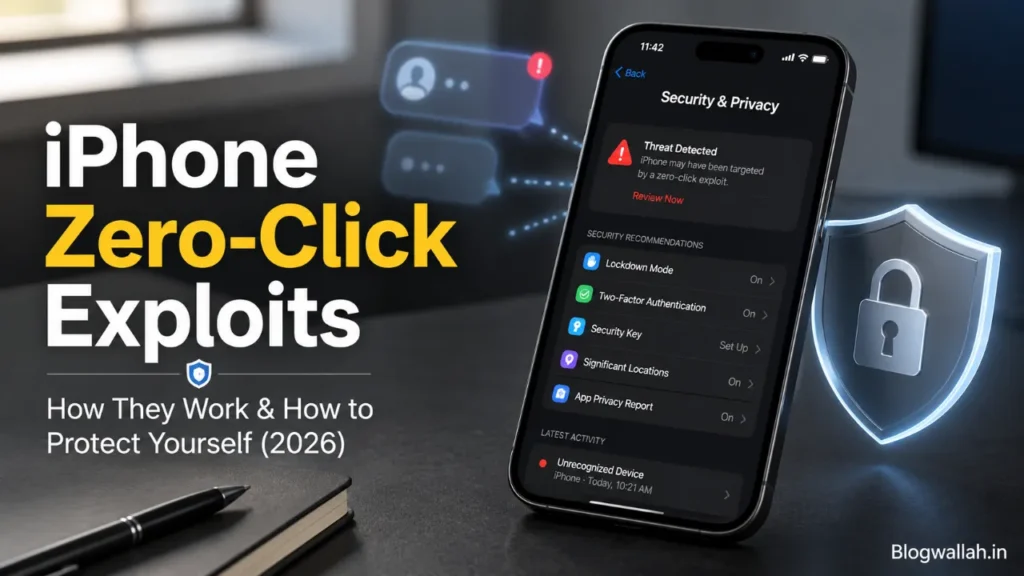
- Lockdown Mode (iOS 16+): Disables complex iMessage attachment types, link previews, HomeKit invitations, and FaceTime calls from unknown contacts. Citizen Lab confirmed that several NSO attack chains failed against devices with Lockdown Mode enabled.
Also read;
Google Search Bar Gets Its Biggest AI Makeover in 25 Years
Google Search Bar Gets a Major AI Upgrade With Gemini
How to Disable AI Results in Google Search: What You Can and Can’t Turn Off
Who Builds These Attacks?
Developing a working zero-click exploit for a fully updated iPhone costs millions of dollars and takes teams of elite researchers months to produce. That’s why this capability is mostly held by a handful of commercial “mercenary spyware” companies that sell access to government clients.
- NSO Group (Israel): Creator of Pegasus spyware. Officially markets its tools for counter-terrorism; confirmed to have been used against journalists, opposition figures, and human rights lawyers. Added to the U.S. Commerce Department’s Entity List in 2021.
- Candiru (Israel): Developer of DevilsTongue spyware, exposed by Microsoft in 2021 and sanctioned by the U.S. alongside NSO Group.
- Cytrox / Intellexa (Europe/Israel): Creator of Predator spyware. Subject to U.S. government sanctions following confirmed misuse in Europe, including Greece.
- QuaDream (Israel): A smaller firm founded by former NSO employees, exposed by Microsoft and Citizen Lab in 2023 under the codename “Reign.” Shut down shortly after public disclosure.
- FinFisher (Germany/UK) & Hacking Team (Italy): Former major players, largely dissolved following scandals and law enforcement raids.
Apple sued NSO Group in 2021 over the FORCEDENTRY exploit and withdrew the lawsuit in 2024. The EU’s “PEGA” parliamentary committee investigated Pegasus abuse across member states. A comprehensive international ban on mercenary spyware has not yet been enacted.
How to Protect Your iPhone From Zero-Click Attacks
Zero-click attacks are rare and mostly targeted at high-profile individuals. That said, the defenses are straightforward and worth implementing regardless of your risk level.
- Keep iOS updated immediately. Most zero-click attacks exploit known but unpatched vulnerabilities. Go to Settings → General → Software Update and keep automatic updates on. This is the single most effective protection available to any iPhone user.
- Enable Lockdown Mode if you’re at high risk. Journalists, activists, attorneys, and government officials should seriously consider this. Find it under Settings → Privacy & Security → Lockdown Mode. It restricts some features but blocks many of the most dangerous attack vectors.
- Be alert to unexpected messages and invitations. Even though zero-click attacks don’t require you to tap anything, staying wary of unexpected HomeKit invitations, calendar invites, or attachments from unknown senders is still sound practice.
- Disable services you don’t use. If you don’t use HomeKit, turn it off. Same with iMessage or FaceTime if they’re not essential. A smaller attack surface means fewer potential entry points for attackers.
- Consider Signal for sensitive conversations. iMessage has been the primary target of most documented zero-click chains. Signal and Threema have historically been less targeted. Disable link previews and automatic media downloads where possible in any messaging app.
- Never install unknown configuration profiles or enterprise certificates. Only install apps from the official App Store. Sideloaded apps and unofficial certificates can bypass iOS security protections entirely.
- Monitor your device for unusual behavior. Repeated unexpected crashes, rapid battery drain, or unusual data usage can indicate compromise. If you suspect serious infection, consider a forensic check using the open-source Mobile Verification Toolkit (MVT) developed by Amnesty International.
- Protect the physical device too. Use a strong alphanumeric passcode, never leave your phone unattended in unsecured environments, and stay alert to phishing by email, text, or phone. Not every attack is purely digital.
Frequently Asked Questions
What is a zero-click exploit on iPhone?
A zero-click exploit is a cyberattack that silently compromises an iPhone without requiring any action from the owner. Attackers send a crafted message or file; the phone’s automatic processing triggers malicious code execution in the background — before you ever see or tap anything.
Can iMessage be hacked without opening a message?
Yes. iMessage automatically generates previews for attachments and links. Exploits like Kismet (2020) and FORCEDENTRY (2021) both leveraged this automatic processing to compromise devices by delivering a manipulated message — with no interaction required from the recipient.
What is Pegasus spyware and does it affect iPhones?
Pegasus is spyware developed by the Israeli NSO Group, sold to government clients. It has repeatedly targeted iPhones using zero-click exploits delivered through iMessage and other iOS services, enabling attackers to read messages, access the camera and microphone, and track location data.
Does Lockdown Mode actually stop zero-click attacks?
According to Citizen Lab research, several confirmed NSO Group attack chains failed against devices running with Lockdown Mode enabled. It’s not a guarantee — sophisticated attackers continue searching for vectors it doesn’t yet cover — but it meaningfully raises the cost and complexity of a successful attack.
Am I personally at risk of a zero-click attack?
For most people, the direct risk is low. These attacks are expensive to develop and deploy, so they’re typically reserved for high-value targets. However, every iOS security update Apple releases patches vulnerabilities that protect all users — targeted or not. Staying updated is the single most impactful thing any iPhone owner can do.
Bottom Line
Zero-click exploits are some of the most technically impressive — and frightening — cyberattacks ever built. The fact that they require zero action from the victim makes them almost impossible to detect or prevent through behavioral caution alone.
Apple has responded with multiple layers of defense: sandboxing, pointer authentication, BlastDoor, and Lockdown Mode. Each layer raises the bar. But mercenary spyware companies like NSO Group employ teams of world-class researchers specifically tasked with finding the gaps — and they keep finding them.
For most iPhone users, the practical takeaway is straightforward: keep iOS updated, be thoughtful about which services you keep enabled, and enable Lockdown Mode if your work puts you in a high-risk category. The threat is real — but it’s also manageable, and every patch you install makes an attack harder to pull off against you.
1 thought on “iPhone Zero-Click Exploits: How They Work & How to Protect Yourself (2026)”